Skip to content

Keyboard Flow

  • HOME
  • CONTACT
  • FRENCH
  • GERMAN
  • FINNISH
  • SWEDISH
  • AFRIKAANS
  • DUTCH
  • SPANISH
  • ASSAMESE
  • BENGALI
  • GUJARATI
  • HINDI
  • KANNADA
  • MALAYALAM
  • ORIYA
  • PUNJABI
  • TAMIL
  • TELUGU
Keyboard Flow
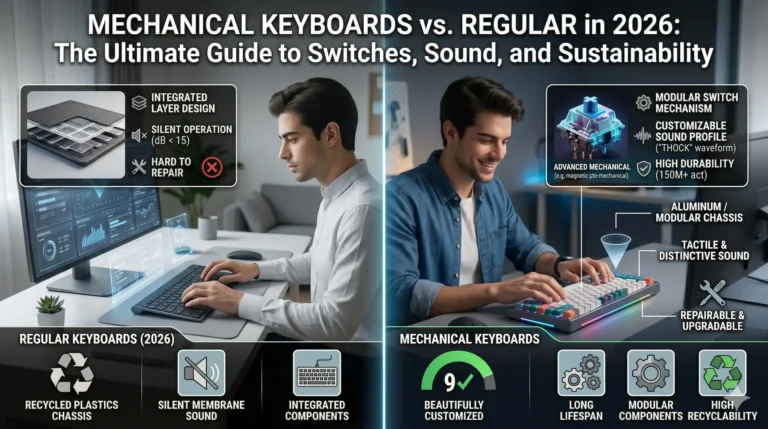
  • A detailed, split-screen infographic, vertically divided by a clean light barrier, with two distinct people in futuristic 2026 home/office environments. The left side is labeled "REGULAR KEYBOARDS (2026)" and shows a person with clean, minimalist style typing on an ultra-thin, sleek membrane keyboard. Main callouts are "RECYCLED PLASTICS CHASSIS," "SILENT MEMBRANE SOUND," and "INTEGRATED COMPONENTS." An inset details the super-thin membrane structure and calls it "HARD TO REPAIR" with an 'X' icon. The right side is labeled "MECHANICAL KEYBOARDS (2026)" and features a person with a focused, happy expression typing on a customized, vibrant mechanical keyboard with artisan keycaps and subtle RGB lighting, similar in aesthetic to high-quality mechanical keyboards from previous references. Main callouts are "MODULAR SWITCH MECHANISM," "MODULAR CHASSIS," and "DISTINCTIVE SOUND PROFILE ('THOCK' or 'CLACK' wave)." An inset details an advanced switch with "CUSTOMIZABLE SOUND PROFILE" and a green checkmark icon. A bottom inset highlights sustainability with icons and text for "LONG LIFESPAN," "MODULAR COMPONENTS," "HIGH RECYCLABILITY (ALU)," and "REPAIRABLE & UPGRADABLE (repair tool icon)," illustrating sustainability through modularity and repair. Sound profiles are visually represented by cones/waveforms. All text callouts are clear, legible, and integrated into the modern infographic style, using icons. The environment feels advanced.
    Blogs

    Mechanical Keyboards vs. Regular in 2026: The Ultimate Guide to Switches, Sound, and Sustainability

    ByPallavi (B.Ed, or Bachelor of Education) April 23, 2026

    That first keypress changes everything. Moving from a standard keyboard to a mechanical one isn’t just an upgrade—it’s an awakening for your senses. Here is why the “click” matters more than ever in 2026.
    Read More Mechanical Keyboards vs. Regular in 2026: The Ultimate Guide to Switches, Sound, and SustainabilityContinue

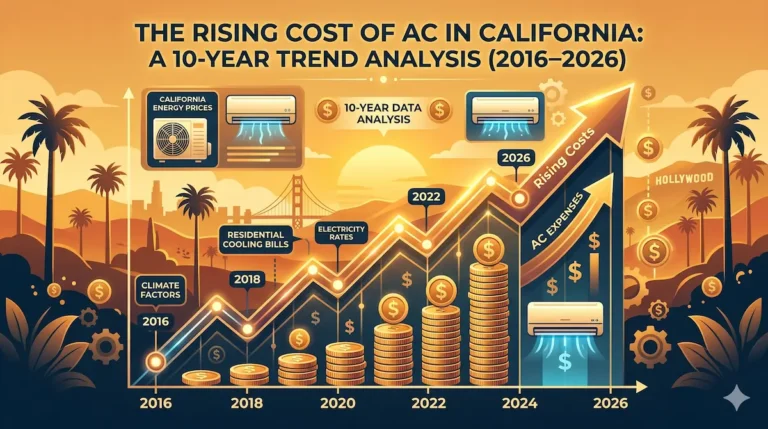
  • A professional digital illustration in a warm golden-orange and blue color scheme, featuring a clean graph showing an upward trend of 'Rising Costs' over a stylized California landscape with palm trees and a sunset. It includes dates from 2016 to 2026. Stacks of growing coins and dollar signs increase along the line, with a large arrow pointing up and 'AC EXPENSES'. Icons of air conditioning units are integrated with dollar symbols. Labels like 'California Energy Prices' and '10-Year Data Analysis' are clearly visible in the data panels. Glimmering lights, gears, and code patterns enhance the data visualization.
    Home Utilities

    The Rising Cost of AC in California: A 10-Year Trend Analysis (2016–2026)

    ByPallavi (B.Ed, or Bachelor of Education) April 22, 2026April 22, 2026

    If you’ve requested a quote for a new air conditioning system in California recently, you might have experienced a severe case of sticker shock. Over the past decade, the cost of cooling a home in the Golden State has transformed dramatically. What was once considered a moderate home improvement expense has now become one of…

    Read More The Rising Cost of AC in California: A 10-Year Trend Analysis (2016–2026)Continue

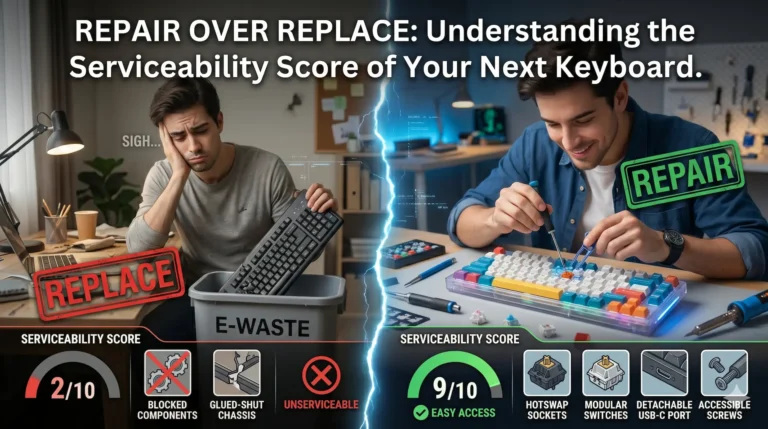
  • A photorealistic composite image, vertically split, with a dark header containing clear white text that reads: "REPAIR OVER REPLACE: Understanding the Serviceability Score of Your Next Keyboard." The left third shows a dimmer workspace and a user with a sad expression discarding a non-serviceable, generic keyboard into a trash bin labeled "E-WASTE," with a red stamp "REPLACE" and a "SERVICEABILITY SCORE" of "2/10." A low rating shows blocked gears and a glued-shut chassis, illustrating difficult repair. The right two-thirds features a brighter, focused DIY workbench and a focused user smiling while carefully replacing a modular mechanical switch on a colorful, customized keyboard with precise tools, a green stamp "REPAIR," and a high "SERVICEABILITY SCORE" of "9/10." A high rating shows moving gears and an "EASY ACCESS" icon, illustrating components that are easy to service, like hotswap sockets and detachable cables. Both users are different individuals. The overall style is photographic digital art with a modern tech aesthetic and blue energy effect, comparing sustainability with waste.
    Blogs

    Repair over Replace: Understanding the Serviceability Score of Your Next Keyboard

    ByPallavi (B.Ed, or Bachelor of Education) April 22, 2026

    Transitioning from disposable membrane boards to repairable mechanical keyboards saves money and the environment. Discover how a high Serviceability Score protects your investment against dust, spills, and wear-and-tear while enhancing your daily typing flow.

    Read More Repair over Replace: Understanding the Serviceability Score of Your Next KeyboardContinue

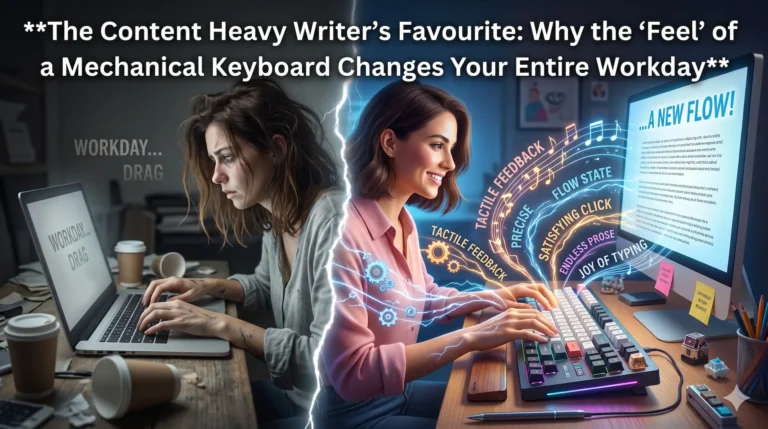
  • A split-screen photographic digital art illustration. At the top, in large white text, is the title: "The Content Heavy Writer's Favourite: Why the 'Feel' of a Mechanical Keyboard Changes Your Entire Workday." The left third shows a tired woman writer in a dimly lit, cluttered workspace, typing on a dull membrane laptop keyboard, with faded, uninspired text on her screen. A fissure separates this side. The right two-thirds features a smiling, energized woman writer with neat hair, typing quickly and joyfully on a vibrant, customized mechanical keyboard with artisan keycaps and subtle RGB lighting. Dynamic bursts of stylized energy, gears, musical notes, and waves radiate from the keys, with integrated words like "TACTILE FEEDBACK," "FLOW STATE," "PRECISE," "SATISFYING CLICK," "ENDLESS PROSE," and "JOY OF TYPING." Her screen displays fast-flowing prose with a motivated title: "...A NEW FLOW!" The workspace is creative. The overall style is photographic art with a touch of fantasy. The comparison emphasizes the positive change from drudgery to joy.
    Blogs

    The Content Heavy Writer’s Favourite: Why the ‘Feel’ of a Mechanical Keyboard Changes Your Entire Workday

    ByPallavi (B.Ed, or Bachelor of Education) April 21, 2026April 21, 2026

    Is a mechanical keyboard just a noisy status symbol, or is it a vital tool for productivity? Dive into the “Serviceability Score” and the emotional impact of upgrading your desk setup. Discover why mechanical keyboards survive Indian dust and spills better than any regular keyboard, and how the right switch can turn a daily chore into a creative craft.

    Read More The Content Heavy Writer’s Favourite: Why the ‘Feel’ of a Mechanical Keyboard Changes Your Entire WorkdayContinue

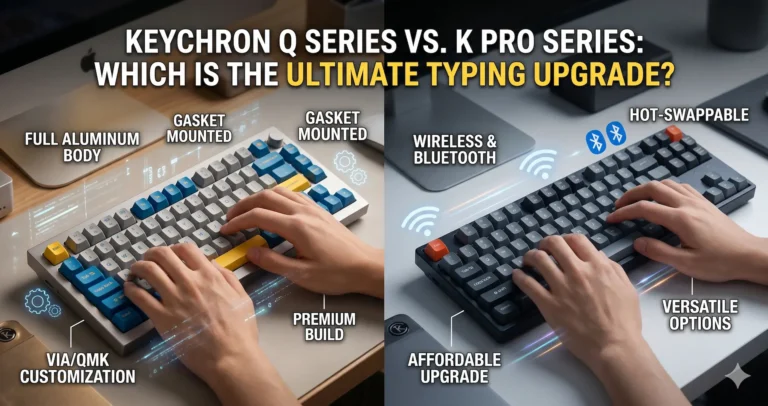
  • Keychron Q Series vs. K Pro Series: Which Is the Ultimate Typing Upgrade?
    Keyboard Reviews

    Keychron Q Series vs. K Pro Series: Which Is the Ultimate Typing Upgrade?

    ByPallavi (B.Ed, or Bachelor of Education) April 21, 2026

    Choosing Your Path to the Perfect Mechanical Keyboard The Enthusiast’s Dilemma: Better or Just Different? Ever feel like your current keyboard is just a tool, while you’re looking for an instrument? Watching your fingers bounce off stiff, plastic keys can be a massive bottleneck to the “flow state” we all crave during long coding or…

    Read More Keychron Q Series vs. K Pro Series: Which Is the Ultimate Typing Upgrade?Continue

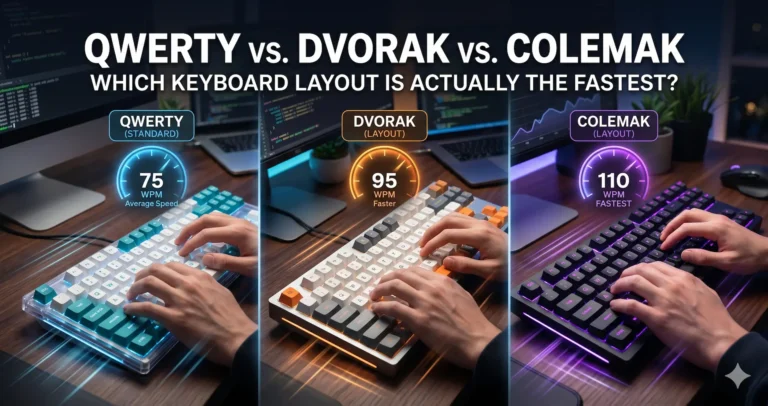
  • QWERTY, Dvorak, or Colemak: Which is Actually the Fastest Keyboard Layout?
    Blogs

    QWERTY, Dvorak, or Colemak: Which is Actually the Fastest Keyboard Layout?

    ByPallavi (B.Ed, or Bachelor of Education) April 20, 2026April 20, 2026

    The Typing Bottleneck: Are Your Keys Holding You Back? Ever feel like your brain is outputting code or copy at lightspeed, but your fingers are tripping over each other just trying to keep up? Watching your cursor blink expectantly while your fingers scramble across the deck is a massive bottleneck to your productivity. You might…

    Read More QWERTY, Dvorak, or Colemak: Which is Actually the Fastest Keyboard Layout?Continue

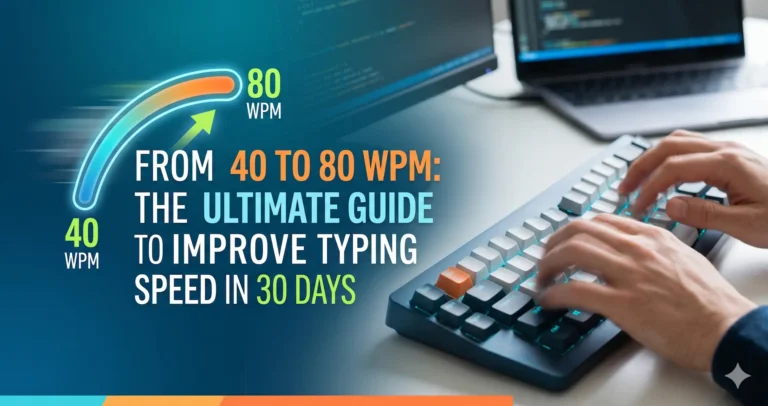
  • From 40 to 80 WPM: The Ultimate Guide to Improve Typing Speed in 30 Days
    Blogs

    From 40 to 80 WPM: The Ultimate Guide to Improve Typing Speed in 30 Days

    ByPallavi (B.Ed, or Bachelor of Education) April 20, 2026April 21, 2026

    Want to double your WPM? Learn how to improve typing speed with our 30-day expert blueprint covering touch typing, ergonomics, and the best mechanical switches.

    Read More From 40 to 80 WPM: The Ultimate Guide to Improve Typing Speed in 30 DaysContinue

Page navigation

Previous PagePrevious 1 2 3

© 2026 Keyboard Flow - WordPress Theme by Kadence WP

PRIMARY PAGES

  • HOME
  • TERMS AND CONDITIONS
  • DISCLAIMER
  • CONTACT US
  • ABOUT US
  • PRIVACY POLICY

BLOG CATEGORIES

  • Blogs
  • Keyboard Reviews
  • Job Profile
  • Home Utilities

Virtual Typing Tools

  • FRENCH
  • GERMAN
  • FINNISH
  • SWEDISH
  • AFRIKAANS
  • DUTCH
  • SPANISH
  • ASSAMESE
  • BENGALI
  • GUJARATI
  • HINDI
  • KANNADA
  • MALAYALAM
  • ORIYA
  • PUNJABI
  • TAMIL
  • TELUGU
  • HOME
  • CONTACT