Before Buying a Keyboard for Your Tablet: Key Points Every U.S. Buyer Should Consider
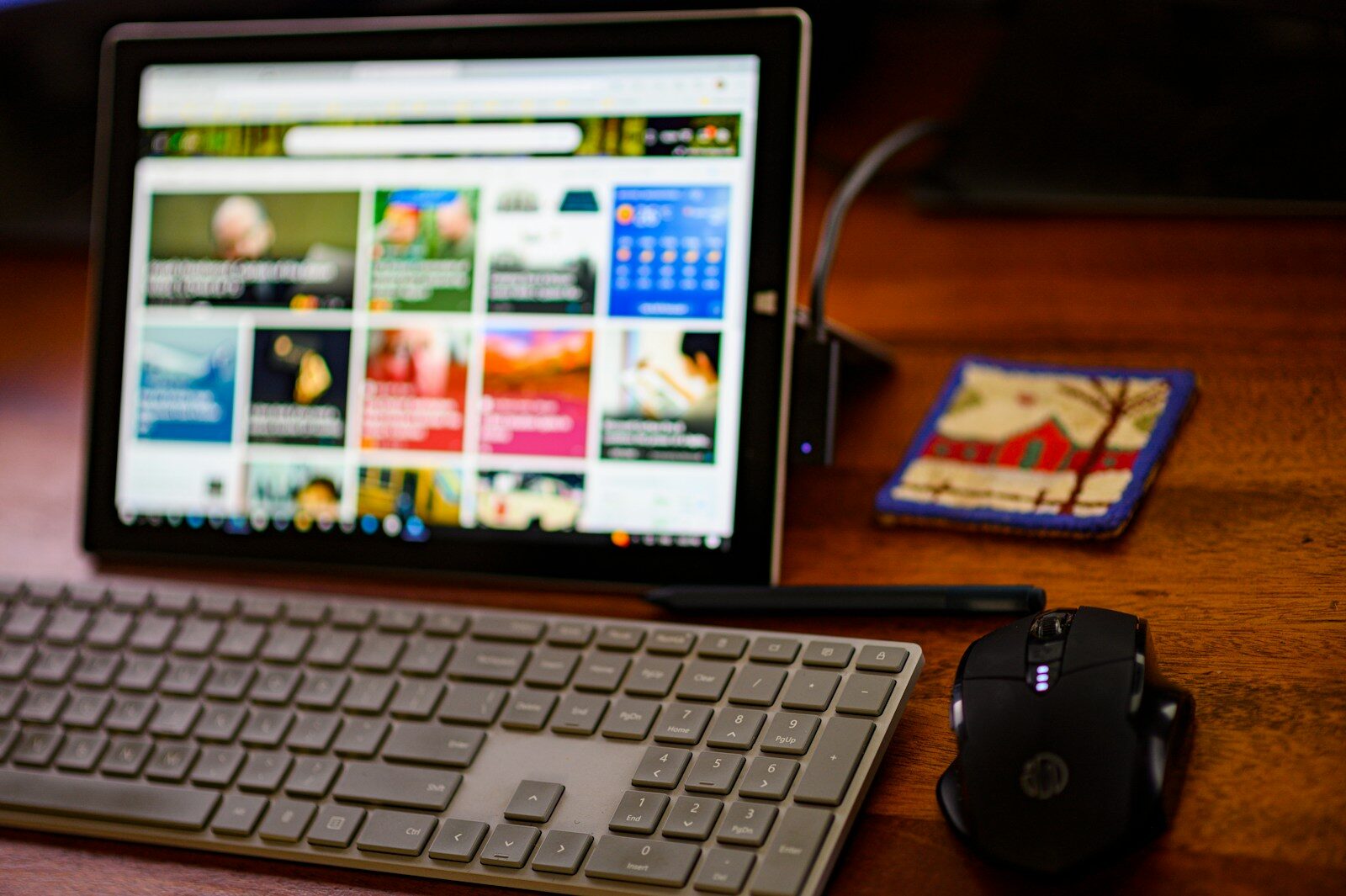
Whether you own an iPad, Android tablet, or Windows-based device, adding a keyboard can dramatically improve your typing speed, comfort, and efficiency.
But choosing the right tablet keyboard is not as simple as picking the cheapest option online. A poor keyboard can ruin your workflow, cause frustration, and even make your tablet harder to use. On the other hand, the right keyboard can transform your tablet into a lightweight laptop replacement.
Why a Tablet Keyboard Matters
Touchscreens are excellent for browsing, streaming, and casual use. However, they become limiting when you need to:
- Write emails
- Attend online meetings
- Take notes
- Work on spreadsheets
- Edit documents
- Manage business tasks
- Study for long hours
- Create content
A physical keyboard improves accuracy and typing speed while reducing fatigue. Many tablet users eventually realize they need one for serious productivity.
But not every keyboard fits every tablet—or every user.
1. Check Tablet Compatibility First
This is the most important step.
Many buyers in the U.S. purchase keyboards without verifying compatibility, only to discover that the keyboard does not fit properly or lacks functionality.
Before buying, confirm:
- The exact tablet model
- Screen size
- Generation/version
- Operating system
For example:
- An iPad Air keyboard may not fit an iPad Pro
- A Samsung Galaxy Tab keyboard may not support all Android tablets
- Some Windows tablets need specialized connectors
Even tablets with the same screen size can have different camera placements, connector positions, or magnetic alignments.
Tip:
Always check the manufacturer’s compatibility list before purchasing.
2. Decide Between Bluetooth and Connector Keyboards
Tablet keyboards generally fall into two categories:
Bluetooth Keyboards
These connect wirelessly.
Advantages:
- Portable
- Compatible with multiple devices
- No physical attachment required
- Often cheaper
Disadvantages:
- Requires charging or batteries
- Possible connectivity lag
- Pairing issues can occur
Bluetooth keyboards are ideal for:
- Casual users
- Students
- Travelers
- Multi-device users
Smart Connector or Pogo Pin Keyboards
These attach directly to the tablet through dedicated connectors.
Advantages:
- Instant connection
- No charging required
- Better stability
- Lower latency
Disadvantages:
- More expensive
- Usually device-specific
- Less flexible
These are best for:
- Professionals
- Heavy typists
- Office work
- Frequent tablet productivity
3. Consider Keyboard Size and Layout
One major mistake buyers make is ignoring keyboard dimensions.
Some tablet keyboards are extremely compact, which can make typing uncomfortable—especially for adults with larger hands.
Look For:
- Full-size key spacing
- Proper Shift and Enter keys
- Standard layout
- Comfortable wrist positioning
Mini keyboards may look attractive due to portability, but long typing sessions can become frustrating.
If you plan to:
- Write reports
- Type frequently
- Use productivity apps
- Attend online classes
…then prioritize typing comfort over ultra-compact design.
4. Evaluate Key Travel and Typing Experience
Typing feel matters more than most people expect.
“Key travel” refers to how far the keys move when pressed.
Good Keyboards Offer:
- Responsive feedback
- Comfortable resistance
- Quiet typing
- Consistent key spacing
Cheap keyboards often feel:
- Mushy
- Cramped
- Noisy
- Unresponsive
If possible, test the keyboard in-store before buying. Major U.S. electronics retailers often have demo units available.
If shopping online, read reviews specifically discussing:
- Typing comfort
- Durability
- Long-term usability
5. Determine Whether You Need a Trackpad
Modern tablet keyboards increasingly include built-in trackpads.
This feature can significantly improve productivity.
A Trackpad Is Useful For:
- Multitasking
- Editing documents
- Spreadsheet navigation
- Cursor precision
- Laptop-like workflow
Trackpads are especially valuable for:
- iPadOS users
- Windows tablet users
- Professionals working remotely
However, if you mainly:
- Watch videos
- Browse casually
- Take occasional notes
…then a trackpad may not be necessary.
Keep in mind:
Keyboards with trackpads usually cost more and add extra weight.
6. Think About Portability and WeightOne reason people buy tablets instead of laptops is portability.
But some keyboard cases are surprisingly heavy.
In fact, certain premium keyboard cases can make a tablet weigh almost as much as a laptop.
Ask Yourself:
- Will you travel frequently?
- Will you carry it to school?
- Do you commute daily?
- Do you use it on airplanes or coffee shops?
If portability matters, choose:
- Lightweight materials
- Slim profiles
- Detachable designs
Travelers in the U.S. often prefer compact keyboards for airport and remote work convenience.
7. Keyboard Case vs Standalone Keyboard
You have two major style options.
Keyboard Cases
These combine:
- Protective case
- Stand
- Keyboard
Benefits:
- All-in-one solution
- Better portability
- Protection for tablet
- Cleaner setup
Drawbacks:
- More expensive
- Less flexibility
- Heavier
Standalone Keyboards
These are separate Bluetooth keyboards.
Benefits:
- More ergonomic
- Can be positioned freely
- Often cheaper
- Multi-device support
Drawbacks:
- Requires carrying separate stand
- Less travel-friendly
If you work at a desk often, standalone keyboards may offer better ergonomics.
If you travel frequently, keyboard cases are usually more practical.
8. Battery Life Is More Important Than You Think
Battery performance can become a daily annoyance if ignored.
Bluetooth keyboards vary dramatically in battery life.
Some last:
- A few days
- Several weeks
- Even months
Consider:
- Rechargeable vs replaceable batteries
- USB-C charging support
- Fast charging
- Auto sleep mode
Heavy users should prioritize long battery life to avoid interruptions during meetings, classes, or travel.
9. Backlit Keys Can Be Extremely Helpful
Many users underestimate the value of backlighting.
Backlit keyboards improve visibility in:
- Airplanes
- Coffee shops
- Dorm rooms
- Nighttime work environments
This feature is especially useful for:
- Students
- Business travelers
- Remote workers
However:
- Backlit keyboards cost more
- They consume more battery power
If you often work in low-light environments, the upgrade is usually worth it.
10. Build Quality and Durability Matter
Tablet keyboards experience frequent movement, folding, and travel.
Cheap models may:
- Crack easily
- Stop charging
- Lose Bluetooth connectivity
- Develop sticky keys
Better Materials Include:
- Aluminum
- Reinforced plastic
- Fabric-covered protective exteriors
Check reviews for:
- Long-term durability
- Hinge strength
- Key wear
- Connector reliability
In the U.S. market, investing slightly more often results in much better long-term value.
11. Understand Your Operating System Features
Not all keyboards support all tablet functions equally.
For example:
iPadOS
Some keyboards support:
- Gesture navigation
- Shortcut keys
- Multi-touch trackpad gestures
Android Tablets
Support varies heavily by brand and software version.
Windows Tablets
Often offer the closest laptop-like experience.
Before buying, verify:
- Shortcut compatibility
- Function key support
- Media controls
- Gesture support
This can dramatically affect usability.
12. Decide How You Will Use the Tablet
Your usage pattern should guide your decision.
For Students
Prioritize:
- Portability
- Battery life
- Comfortable typing
- Affordable pricing
For Remote Workers
Focus on:
- Trackpad quality
- Ergonomics
- Reliable connectivity
- Backlit keys
For Frequent Travelers
Choose:
- Lightweight design
- Slim keyboard case
- Strong battery life
For Creative Professionals
Consider:
- Detachable keyboards
- Adjustable viewing angles
- Multi-device support
13. Viewing Angles and Stand Stability Are Critical
Some keyboard cases offer limited viewing positions.
This becomes frustrating during:
- Video calls
- Long typing sessions
- Streaming
- Presentations
Look For:
- Adjustable kickstands
- Stable hinges
- Multiple viewing angles
A wobbly keyboard stand can ruin the user experience—especially when working on your lap.
14. Price vs Value
Tablet keyboards range from under $30 to over $350 in the U.S.
The cheapest option is rarely the best long-term value.
Budget Keyboards
Good for:
- Light use
- Temporary setups
- Casual browsing
Mid-Range Options
Usually offer:
- Better build quality
- Improved typing
- Longer lifespan
Premium Keyboards
Typically include:
- Trackpads
- Premium materials
- Better software integration
- Laptop-like experience
Choose based on:
- Daily usage
- Work requirements
- Travel habits
- Productivity needs
15. Read Real User Reviews Carefully
Product descriptions can be misleading.
Before buying:
- Read verified customer reviews
- Watch YouTube reviews
- Check long-term feedback
Pay attention to recurring complaints about:
- Bluetooth drops
- Weak hinges
- Battery issues
- Poor key quality
- Laggy trackpads
Real-world feedback is often more valuable than marketing claims.
16. Warranty and Customer Support
Many buyers ignore warranty details until problems appear.
A keyboard may develop issues after months of use.
Before purchasing, check:
- Warranty duration
- Return policy
- Brand reputation
- U.S. customer support availability
Established brands usually provide:
- Better support
- Software updates
- More reliable replacement policies
17. Multi-Device Pairing Can Be a Huge Advantage
Some keyboards can connect to:
- Tablets
- Phones
- Laptops
- Smart TVs
This is useful for users who switch between devices regularly.
Many modern Bluetooth keyboards support:
- One-touch device switching
- Simultaneous pairing
For remote workers and students, this feature can improve workflow efficiency.
18. Don’t Ignore Aesthetics and Comfort
You will likely use the keyboard daily.
Choose a design you genuinely enjoy using.
Consider:
- Color
- Texture
- Material feel
- Noise level
- Overall comfort
A keyboard that feels pleasant encourages longer and more productive work sessions.
19. Consider Future Upgrades
Some keyboard cases only fit one tablet generation.
If you plan to upgrade your tablet soon, investing heavily in a highly specific keyboard may not make sense.
More flexible Bluetooth keyboards may offer:
- Better long-term compatibility
- Cross-device usability
- Greater future value
20. Know When a Laptop Might Be Better
This is an important consideration many buyers overlook.
If your workflow involves:
- Heavy multitasking
- Advanced software
- Video editing
- Programming
- Extensive office work
…then even the best tablet keyboard may not fully replace a laptop.
A tablet keyboard is excellent for mobility and moderate productivity, but your work needs should determine whether it is truly the right solution.
Final Thoughts
Buying a keyboard for your tablet can dramatically improve productivity, convenience, and comfort—but only if you choose the right one.
The ideal keyboard depends on:
- Your tablet model
- Your budget
- Your typing habits
- Your work style
- Your portability needs
Before making a purchase, focus on:
- Compatibility
- Typing comfort
- Connectivity
- Build quality
- Battery life
- Portability
- Operating system support
A thoughtful purchase today can save you frustration, wasted money, and productivity issues later.
Whether you are a student, remote worker, business traveler, or casual user in the U.S., taking time to evaluate these factors will help you find a tablet keyboard that truly fits your needs.
In the end, the right keyboard should make your tablet feel more powerful—not more complicated.