Repair over Replace: Understanding the Serviceability Score of Your Next Keyboard
Investing in a high-performance keyboard is often a choice between a short-term convenience and a decade-long partnership. Navigating the modern electronics market reveals a troubling trend toward “disposable” hardware, but understanding the core engineering of your tools allows you to break this cycle. Transitioning to a mechanical system ensures that your primary interface with your digital world remains robust, repairable, and deeply satisfying.
Engineering Endurance: The Architecture of the Switch
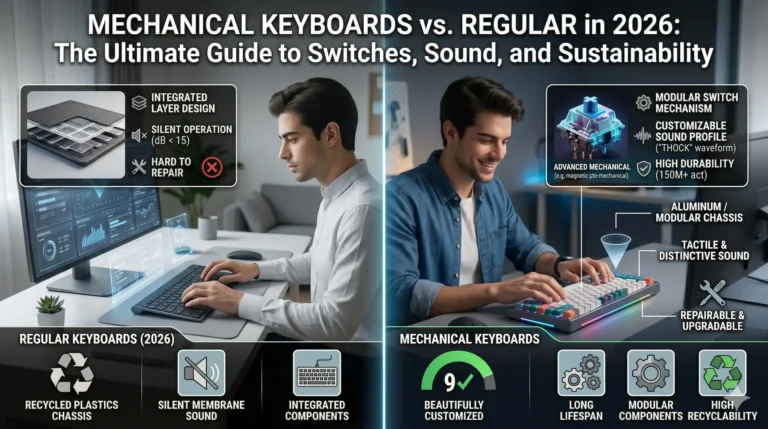
Building a keyboard that survives millions of interactions requires moving away from the fragile layers of a standard membrane board. Standard keyboards rely on three thin sheets of plastic and rubber domes that eventually lose their elasticity.
- Utilizing Individual Instruments: Operating with individual physical switches for every key provides a level of precision that membrane “bubbles” cannot replicate.
- Calculating Real-World Lifespan: Comparing the technical data shows that a quality mechanical switch lasts between 50 to 100 million keystrokes, outliving standard alternatives by nearly ten times.
- Strengthening the Foundation: Mounting these switches on a heavy metal or reinforced plastic plate creates a rigid chassis so that the board does not flex or creak under heavy use.
Mastering the Environment: Resilience Against Dust and Spills
Operating high-end electronics in challenging climates—where dust and humidity are constant threats—demands a design that prioritizes maintenance.
Popping off individual keycaps allows for a level of deep-cleaning that is impossible on “closed-box” membrane models. When dust settles under a rubber dome, it often leads to sticky, unresponsive keys that signal the end of the device’s life. Designing with individual switch housings means that trapped grime can be cleared away so that the internal mechanics never compromise your speed.
Managing accidental liquid spills is significantly easier when the device features a modular internal layout. Identifying models with dedicated drainage channels in their technical specifications provides an extra layer of security. Because mechanical switches are independent units, a minor spill can often be cleaned and dried without shorting the entire circuit board.
The Serviceability Score: Why Repairable is Respectable
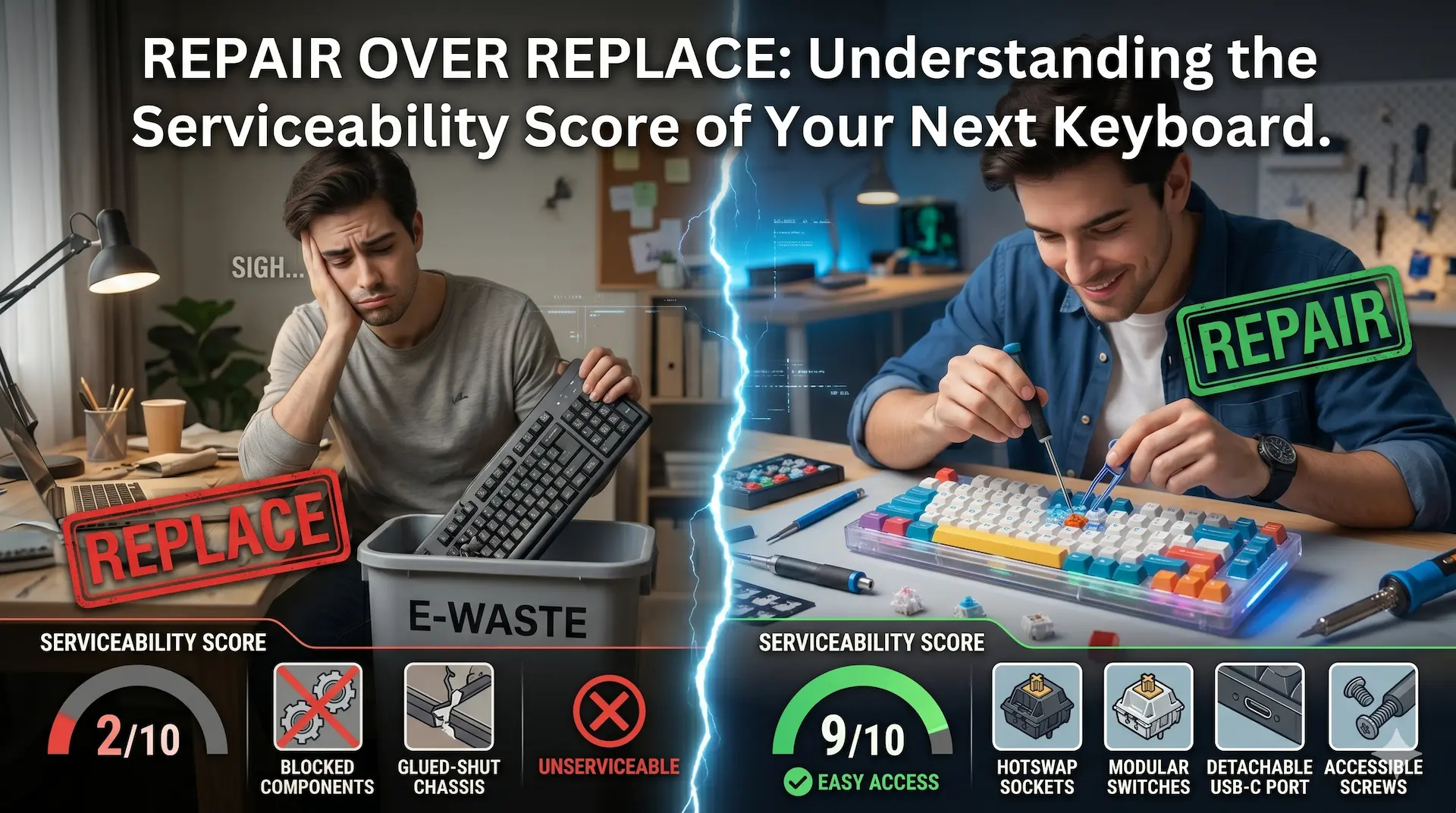
Defining a tool by its “Serviceability Score” helps you determine the true value of your investment. In a world of planned obsolescence, a repairable keyboard stands as a testament to sustainable engineering.
Replacing a single failed switch—whether the “A” key or the spacebar—is a simple procedure that keeps the entire unit out of the landfill. Standard keyboards offer near-zero repairability; if one part fails, the entire plastic assembly usually becomes garbage. Choosing a high Serviceability Score ensures that your tool remains a faithful companion for years, even if a minor component needs a quick swap.
Elevating the Sensory Experience: The ROI of Tactile Feedback
Enhancing your daily workflow involves more than just speed; it involves the emotional and physical connection to your desk setup.
- Developing Desk Authority: Placing a substantial, extra-sturdy chassis on your workspace creates an immediate sense of professional presence.
- Achieving the Rhythmic Zone: Hearing the crisp “click” or the subtle, tactile “thud” of a well-engineered switch provides the sensory confirmation your brain needs to maintain focus.
- Customizing the Aesthetic: Swapping keycaps to suit your personal style allows the hardware to evolve with you, fostering a sense of long-term pride in your tools.
Defining Your Sound: The Acoustic Signature of Productivity
Understanding that sound is a feature—not a flaw—allows you to tailor your environment to your specific needs.
Choosing Brown switches provides a polite, tactile “bump” that is ideal for shared workspaces where noise must be managed. Selecting Blue switches offers the maximum auditory feedback for those who enjoy the rhythmic “sound of progress” while working in private. Opting for Red switches ensures a smooth, linear, and silent experience for those who prioritize pure speed.
Conclusion: Moving Toward a Legacy Tool
Ending the cycle of frequent, cheap replacements requires a commitment to quality. While the upfront cost of a mechanical system is higher, the “Serviceability Score” proves it is the more economical choice over a five-to-ten-year period. By selecting a tool that is built to be maintained rather than replaced, you ensure that your digital interface remains as sharp and reliable as your own ideas.