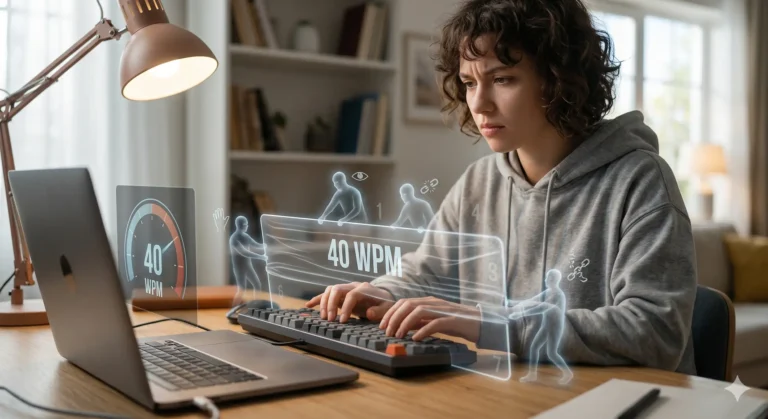
From Slow typing, clumsy typing to Hyperfast Your Ultimate Guide to Mastering 120 WPM
Typing at 120 words per minute might seem like a superpower reserved for stenographers and coding wizards, but what if I told you this skill is within your reach regardless of your current speed? Whether you’re struggling at 30 WPM or plateaued at 60, the journey to elite typing isn’t about magic fingers—it’s about methodical training, smart techniques, and breaking through psychological barriers.
Most people spend years typing inefficiently, unaware that small adjustments, a few improvements, could double or triple their typing output. The average person types around 40 WPM, while professionals reach 65-75 WPM with some regular practice. But with this dedicated practice, 120 WPM is an achievable target that will save you hours weekly and transform your digital productivity.
The Foundation: Understanding Your Starting Point
Before embarking on this journey, establish your baseline. Take a one-minute test on sites like MonkeyType or TypingTest.com using normal text (not random characters). Don’t backspace to correct errors—this gives your true accuracy rate. Take three tests and average the results. This number is your foundation, not your fate.
The typing proficiency spectrum typically looks like this:
- 30-40 WPM: Self-taught, likely using 2-4 fingers with occasional keyboard glances
- 40-60 WPM: Basic touch typing but with inconsistent technique
- 60-80 WPM: Solid touch typing with some efficiency gaps
- 80-100 WPM: Professional level with few wasted movements
- 100-120+ WPM: Elite typing with optimized rhythm and minimal errors
Phase 1: Building Fundamentals (30-60 WPM)
If you’re starting below 40 WPM, your first mission is mastering proper technique. This phase requires patience as you’ll likely experience temporary speed decreases while unlearning bad habits.
The Non-Negotiable: Touch Typing Foundation
Touch typing—typing without looking at the keyboard—is the non-negotiable foundation for high-speed typing. Your fingers must learn their positions through muscle memory, not visual confirmation.
Home Row Mastery
Place your fingers on the home row: left hand on A, S, D, F and right hand on J, K, L, ;. The bumps on the keys F and J are tactile guides—you can use them to position your index fingers without looking.
Each finger has designated territories:
- Left pinky: Q, A, Z, Shift, Tab, Caps Lock
- Left ring: W, S, X
- Left middle: E, D, C
- Left index: R, F, V, T, G, B
- Right index: Y, H, N, U, J, M
- Right middle: I, K, ,
- Right ring: O, L, .
- Right pinky: P, ;, /, ‘, [, ], Enter, Shift
- Thumbs: Spacebar
The No-Look Challenge
Cover your keyboard with a cloth or piece of paper during practice sessions. This forces your fingers to develop true spatial awareness. The initial frustration is temporary—within days, you’ll notice remarkable improvement in your keyboard sense.
Accuracy Over Speed
At this stage, prioritize perfect accuracy over speed. Type slowly enough to make zero errors, programming clean motor patterns into your muscle memory. Speed built on inaccurate foundations will always plateau prematurely.
Essential Drills for Foundation Building
Home Row Reset Practice
Type any text, but after every word, consciously return your fingers to the home row position. This builds the automatic return reflex that eliminates micro-pauses between words.
Common Bigram Drills
Practice the most frequent letter combinations that appear in English:
- TH, HE, IN, ER, AN, RE, ON, AT, EN, ND
- Practice these in isolation: the, and, ing, ion, ent, ant, able, ive, ough
Finger Isolation Exercises
Identify your weakest fingers (typically pinkies and ring fingers) and give them extra attention. Practice strings that emphasize these fingers:
- Pinky drills: aqaz;p;[/]
- Ring finger drills: wsxol.
- Middle finger drills: edcik,
Phase 2: Breaking Plateaus (60-90 WPM)
This is where most self-taught typists get stuck indefinitely. You have the basics down but can’t seem to break through to the next level. The secret lies in addressing the invisible barriers holding you back.
The Reading Ahead Technique
The 40-50 WPM plateau often stems from word-by-word processing—your brain reads one word, signals your fingers to type it, waits for completion, then moves to the next word. These micro-pauses between words are invisible but catastrophic to speed.
Phrase-Level Reading
Train your eyes to read 3-5 words at a time so that you are ahead of your fingers. When typing “the,” your eyes should already be processing “quick brown fox.” This creates a buffer that keeps your fingers moving continuously without hesitation pauses.
Peripheral Vision Training
Expand your visual field to capture more text at once. Instead of focusing on individual words, practice taking in entire phrases with a soft gaze. This reduces the cognitive load of constantly shifting focus.
Advanced Practice Techniques
Speed Burst Training
Type at 110-120% of your comfortable pace for 30-second intervals, then rest for 30 seconds. Repeat 8-10 times. This recalibrates your nervous system’s upper limit—after burst training, your normal speed feels slower and more controlled.
Metronome Rhythm Training
Set a metronome to 60 BPM and type one keystroke per beat. Focus on maintaining perfect rhythm rather than speed. Irregular rhythm—fast bursts followed by pauses—is the primary limiter above 65 WPM. The consistency forces elimination of micro-hesitations.
Weakness Isolation
Identify your specific trouble spots through analysis of your typing tests. Common problem areas include:
- Number row and symbols
- Certain letter combinations (QU, ZX, double letters)
- Punctuation and capitalization
- Longer words that cause hesitation
Drill these specific weaknesses for 5 minutes daily rather than practicing your strengths for an hour.
Phase 3: Elite Refinement (90-120 WPM)
Breaking into triple-digit territory requires a different approach. Here, the gains come from nuance refinement rather than fundamental changes.
Cognitive Optimization
Thought-to-Text Flow
At elite speeds, the barrier becomes cognitive rather than physical. Practice composition typing—expressing original thoughts directly through your fingers without mental hesitation. Set a timer and write continuously about any topic, forcing your thoughts to flow directly to keystrokes.
Pattern Recognition Training
Your brain should recognize common words and phrases as single units rather than letter sequences. “The” should be one fluid motion, not T-H-E. Practice the 100 most common English words until they become automatic patterns.
Error Pattern Analysis
Don’t just count errors—analyze their patterns. Errors clustered at the end of long words indicate fatigue; errors in the middle suggest rhythm breaks; consistent errors on specific keys reveal unconscious weaknesses needing targeted practice.
Physical Optimization
Floating Wrist Technique
Keep your wrists slightly elevated rather than resting on the desk. This allows full finger mobility and reduces strain. Tension in wrists or forearms creates subtle delays in keystroke execution.
Rollover Technique
Advanced typists use “rollover” typing—that is by pressing the next key before fully releasing the previous keys. A research shows that pro typists use this method for 40-70% of their keystrokes. This overlapping motion creates seamless flow between keystrokes.
Minimal Movement Principle
Reduce finger travel distance to absolute minimum. Your fingers should barely leave the keys between strokes. Excessive lifting and returning wastes milliseconds that compound across thousands of keystrokes.
The 6-Week Transformation Plan
Week 1: Technique Foundation
- Daily practice: 20 minutes
- Focus: Perfect home row positioning, no-looking practice, slow accurate typing
- Target: Comfortable zero-error typing at your current speed
Week 2: Weakness Elimination
- Daily practice: 25 minutes
- Focus: Identify and drill your 3 weakest keys/combinations
- Target: Elimination of hesitation on problem keys
Week 3: Reading Ahead Training
- Daily practice: 25 minutes
- Focus: Eyes 4-5 words ahead at all times
- Target: +5 WPM from reduced between-word pauses
Week 4: Speed Burst Conditioning
- Daily practice: 30 minutes
- Focus: 30-second sprints at maximum speed, 8-10 per session
- Target: +8-12 WPM above baseline
Week 5: Advanced Text Practice
- Daily practice: 30 minutes
- Focus: Technical vocabulary, numbers, symbols, long passages
- Target: Consistent speed on unfamiliar content
Week 6: Rhythm refinement
- Daily practice: 30 minutes
- Focus: Metronome training, error pattern analysis, composition typing
- Target: +20-35 WPM above starting point
Essential Shortcuts That Save Seconds
Keyboard shortcuts eliminate mouse dependency, creating seamless workflow that complements your typing speed.
Universal Shortcuts
- Ctrl/Cmd + Backspace: Delete entire word
- Ctrl/Cmd + Left/Right: Jump by words
- Ctrl/Cmd + Shift + Left/Right: Select by words
- Home/End: Jump to line beginning/end
- Ctrl/Cmd + Home/End: Jump to document start/end
Text Manipulation
- Ctrl/Cmd + D: Delete line (many editors)
- Ctrl/Cmd + L: Select line
- Ctrl/Cmd + /: Comment/uncomment
- Ctrl/Cmd + Z/Y: Undo/redo
Application Switching
- Alt + Tab (Win) / Cmd + Tab (Mac): Switch applications
- Win + D (Win) / Cmd + H (Mac): Show desktop/hide
- Ctrl + Alt + Del (Win) / Cmd + Opt + Esc (Mac): Force quit
Hardware and Environment Optimization
Keyboard Selection
While any keyboard can achieve high speeds, however, mechanical keyboards with excellent tactile feedback (such as the Cherry MX Brown or Blue switches) provide better actuation feedback while typing. Popular options also include KeyChron K3, Logitech MX Keys, or Happy Hacking Keyboard.
Ergonomic Setup
- Chair height: Feet flat, knees at 90 degrees
- Keyboard position: Elbows at 90 degrees, wrists floating
- Monitor: Eye level, arm’s length away
- Lighting: Adequate to prevent eye strain without glare
Hand Maintenance
- Warm hands before typing sessions (cold hands slow you down)
- Stretch fingers, wrists, and forearms regularly
- Take breaks using the 52/17 rule (52 minutes typing, 17 minutes rest)
- Practice the 20-20-20 rule: every 20 minutes, look at something 20 feet away for 20 seconds
Mental Strategies for Breakthroughs
Embrace Temporary Regression
When changing techniques (especially switching to proper touch typing), expect temporary speed decreases. This isn’t failure—it’s the necessary process of uninstalling bad habits. The regression typically lasts 3-10 days before you surpass your previous plateau.
Process Over Outcome
Focus on technique execution rather than WPM numbers during practice. perfect rhythm, accurate keystrokes, and proper form will naturally produce speed increases without the anxiety of watching the counter.
Consistency Beets Intensity
Fifteen minutes of daily practice outperforms two-hour weekly sessions. The brain consolidates motor skills through frequent repetition, not occasional marathons.
Mobile Practice: The Secret Weapon
Don’t underestimate mobile typing practice. While different from keyboard typing, it develops valuable skills:
Thumb Speed Development
Mobile typing trains thumb dexterity and coordination, which translates to better overall finger independence.
Micro-Practice Opportunities
Use spare moments throughout the day for 60-second practice sessions. Frequency of practice matters more than duration for skill retention.
Alternative Neural Pathways
Practicing on different interfaces (keyboard, touchscreen) builds adaptable typing skills that make you more proficient across platforms.
Beyond 120 WPM: Continuing the Journey
Once you’ve reached 120 WPM, further improvement comes from specialization:
Content-Specific Training
Different typing contexts require different skills:
- Programming: symbols, abbreviations, syntax patterns
- Transcription: auditory processing alongside typing
- Data entry: numbers, form navigation, accuracy under pressure
- Creative writing: thought-to-text flow, composition speed
Advanced Rhythm Techniques
Elite typists develop personalized rhythmic patterns that optimize their natural cadence. Some use alternating emphasis patterns, while others develop consistent metronomic timing.
Error Elimination
At the highest levels, the focus shifts from speed to perfection. 99%+ accuracy becomes the goal, with error analysis driving microscopic adjustments to technique.
The Lifetime Return on Investment
Consider the math: if you currently type 40 WPM and reach 120 WPM, you’ve tripled your output. If you type just one hour daily, you’ll save 40 minutes every day—almost 5 hours weekly, 20 hours monthly, 240 hours annually.
That’s six entire 40-hour work weeks recovered each year simply by typing efficiently. For knowledge workers, writers, programmers, or anyone who communicates digitally, this skill pays permanent dividends.
The journey from hunt-and-peck to hyperfast typing isn’t about innate talent—it’s about deliberate practice, smart technique, and persistent refinement. Your fingers are capable of far more than you imagine; they simply need proper training and consistent reinforcement.
Start today. Take that baseline test, commit to daily practice, and begin transforming your relationship with your keyboard. The words await—now you have the tools to set them free at speeds you never thought possible.